Receipt OCR, live profit-and-loss, and invoices — straight into QuickBooks.
Connected to your QuickBooks. (Bank reconciliation via Plaid is coming.)
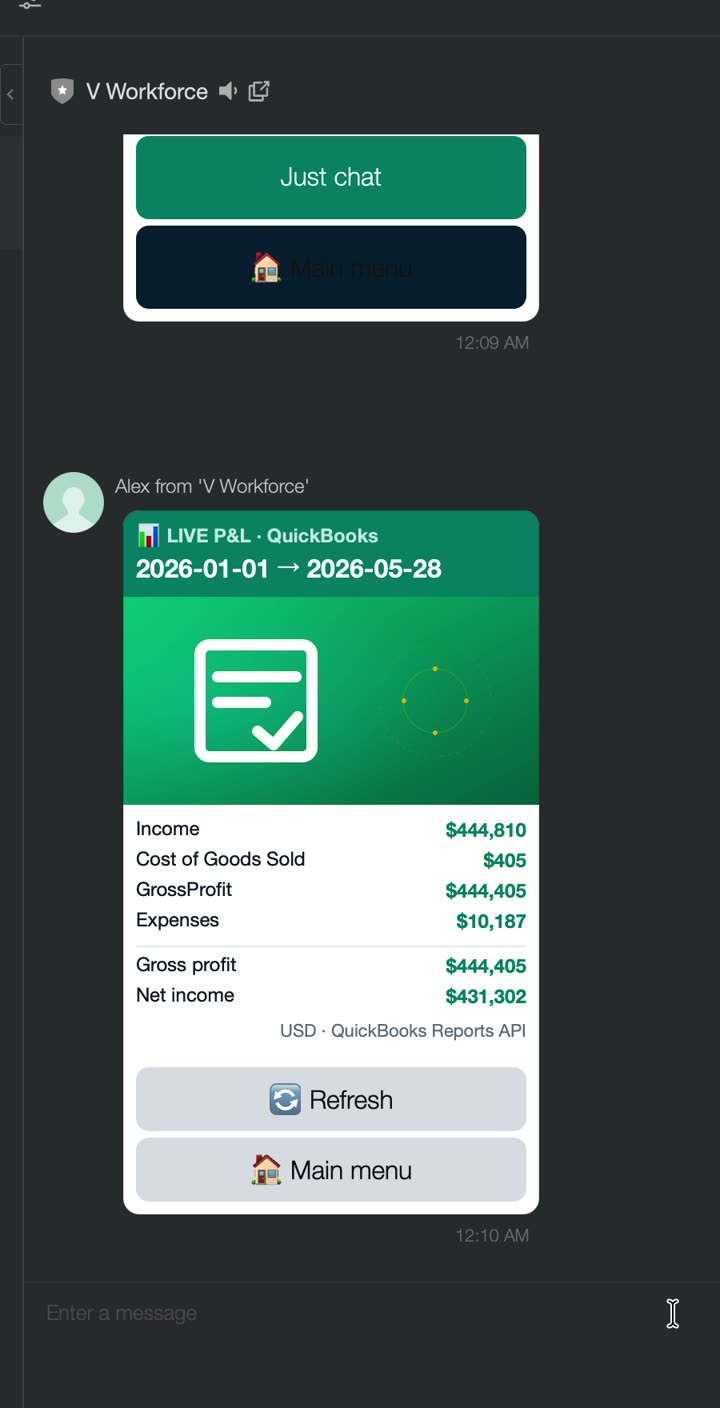
What it looks like in the chat
What he does
Alex keeps the books. Snap a photo of a receipt and he reads it with OCR and posts the journal entry to QuickBooks. Ask for the P&L and he pulls your live profit-and-loss from QuickBooks. He also drafts invoices.
How to start
Type “talk to alex”, or tap Alex on the carousel.
Tap “Show P&L” for live numbers, or “Send receipt” to OCR a photo.
Buttons
Send receiptShow P&LCreate invoiceReconcile bank
What’s live LIVE
Live profit-and-loss pulled from the QuickBooks Reports API — real income, gross profit and net income.
Receipt photos are OCR’d and posted as real journal entries.
Bank reconciliation (Plaid) is coming next.
Tip
Just snap and send a receipt photo in the chat — no manual data entry.