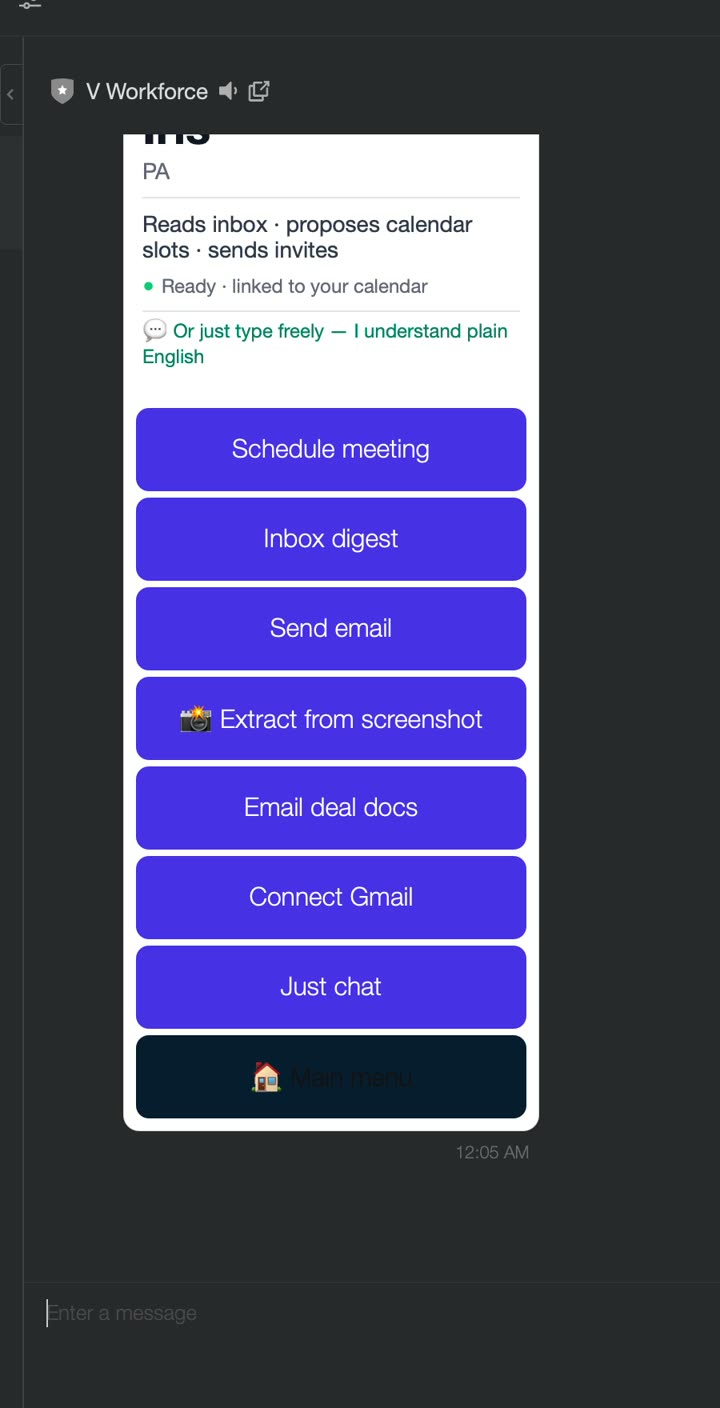
Reads your inbox, schedules meetings, and sends email — from a single chat message.
Connected to your Google Gmail & Calendar.
What it looks like in the chat
What she does
Iris is your front-desk assistant. She triages your real inbox, sends email on your behalf, and books real calendar events with a video link — all from plain-language messages. She also knows her teammates and will offer to hand work off (e.g. loop in Ken for a contract, forward receipts to Alex).
How to start
Type “talk to iris”, or tap Iris on the team carousel.
Her card shows “Ready · linked to your calendar” when Gmail/Calendar are connected.
Try typing
show my inbox
send me a test email titled “Hello”
schedule a 30 minute meeting tomorrow at 3pm
who are my teammates?
Or tap a button
Inbox digestSend emailSchedule meetingExtract from screenshotConnect Gmail
What’s live LIVE
Reads your real Gmail and produces a sorted digest (priority vs marketing).
Sends real email — she already knows your address once Gmail is connected.
Creates real calendar events with a Google Meet link and does the date math for you.
Reads a screenshot of an invite and turns it into a calendar event (vision/OCR).
Tip
You don’t need to fill out forms. Just describe the email or meeting in one sentence and Iris does it.